
Checkout That Feels Like Part of Your App: xMoney Mobile SDKs Are Live
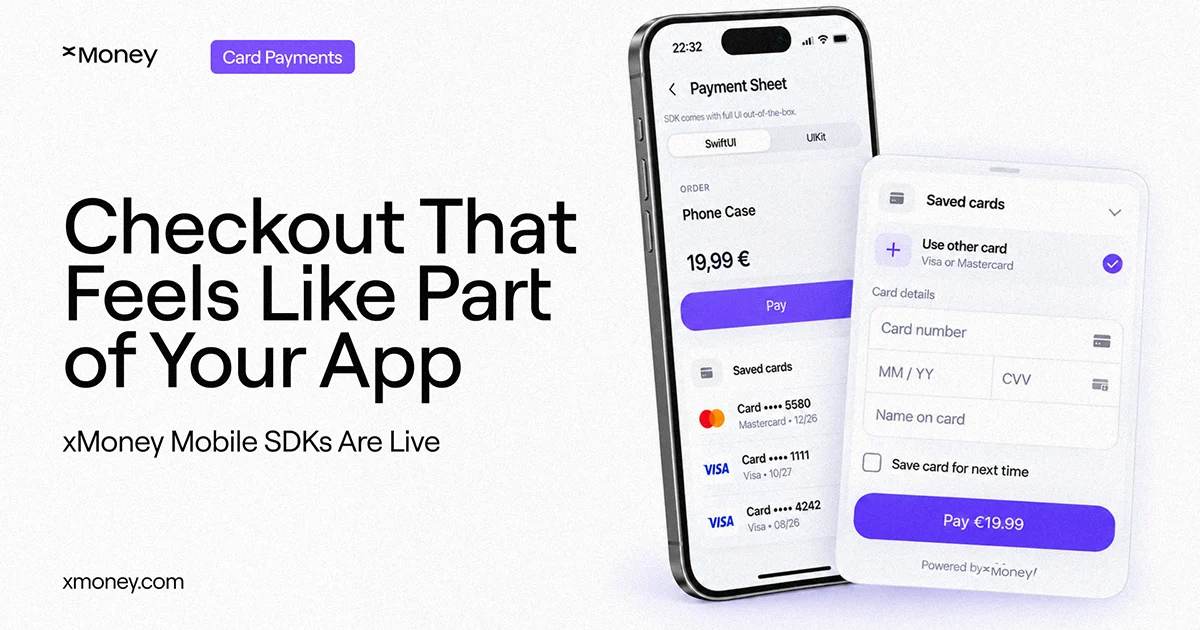
xMoney's payment SDKs for iOS, Android, and React Native are now live, giving mobile teams a native checkout they can drop in, style, and ship quickly.

Buying something in an app should feel like using the app. Too often it doesn't. You tap “Pay”, a browser window slides up, the fonts change, the buttons look borrowed from somewhere else, and for a second you wonder whether you're still in the right place.
That moment costs sales. And for the teams building these apps, the alternative has been worse: build and maintain your own card forms, wallet buttons, and security checks separately on every platform you support.
That changes today. xMoney's payment SDKs for iOS, Android, and React Native are live!
What we're launching
An SDK is a ready-made building block that developers drop into an app. Ours handles the entire payment moment - collecting card details, offering Apple Pay or Google Pay, remembering saved cards, running the bank's security check - inside your app, looking like your app.
Three platforms. Three ways to use it. One way to set it up.
Three ways to add checkout
Payment Sheet: a complete, ready-to-go checkout that slides up from the bottom of the screen. Fastest way to launch. You get a polished payment experience without designing one.
Payment Element: the payment form itself, placed directly inside your own checkout page. Your layout, your branding, your “Pay” button. Use this when checkout is part of your product design, not a hand-off.
Apple Pay and Google Pay: the wallet buttons customers already recognise, available inside either of the above or on their own for express checkout. Apple Pay on iOS, Google Pay on Android, both on React Native.
Whichever you choose, the setup is the same and the outcome is the same: the payment completed, failed, or the customer cancelled. Three states, nothing to interpret.
What's handled for you
Everything customers never think about, and developers think about constantly:
- Card entry, with validation as they type
- Saved cards for returning customers
- 3D Secure - the extra verification step banks require - handled inside the SDK
- Six languages out of the box: English, Greek, Romanian, Bulgarian, Hungarian, and Polish
- Appearance controls: light and dark mode, your colours, your fonts, your corner radii, your button labels
Card numbers and security codes are collected by native SDK views rather than by your own code. On React Native, card data stays on the native side and never crosses the JavaScript bridge. Your app only ever carries a publishable key - the sensitive keys and order creation stay on your server, where they belong.
Who it's for
Mobile commerce apps and marketplaces. Fintech and financial services products. Subscription and membership businesses. React Native teams who want native payment controls rather than a web layer. And existing xMoney merchants who want their app checkout to catch up with the rest of their product.
If your customers pay you on a phone, this is for you.
How it works
- Your server creates the order.
- Your app receives the signed payload.
- Your app shows the Payment Sheet, the Payment Element, or a wallet button.
- The SDK collects the details and runs the bank's security check if one is needed.
- Your app gets one clear result back.
Most teams are looking at an afternoon to implement, not a quarter.
Get started
All three SDKs are available now (version 1.0.0) - iOS via Swift Package Manager and CocoaPods, Android via Maven Central, React Native via npm. Integration guides are in the xMoney docs.
The best checkout is the one nobody notices. Now you can build one on every platform your customers use.
Latest Articles














.webp)



.avif)







.avif)

.avif)
Join 20,000+ businesses already growing
We build and integrate solutions. You grow with xMoney.
